
Fake IT Support Calls and Passkey Phishing: What Manteca Businesses Should Know About Microsoft 365 Scams
Fake IT help-desk calls and passkey phishing are targeting Microsoft 365. Practical tips for Manteca and Central Valley small businesses to stay safe.
- What Microsoft reported (verified, September 2026)
- Why Central Valley small businesses should care
- How the scam usually unfolds (plain English)
- 1) Research, then the urgent call or text
- 2) The fake “update” link
- 3) Persistence: they add their own MFA method
- 4) Recon and data collection
- Red flags your team should treat as automatic “stop”
- What to do if you think someone already clicked
- Practical Microsoft 365 hardening (SMB-friendly)
- Prefer phishing-resistant MFA
- Use Conditional Access thoughtfully
- Limit consent and unmanaged access
- Train for voice phishing, not only email phishing
- A simple staff script for Manteca offices
- How TheNetworkGuy209 helps local teams
- Soft CTA
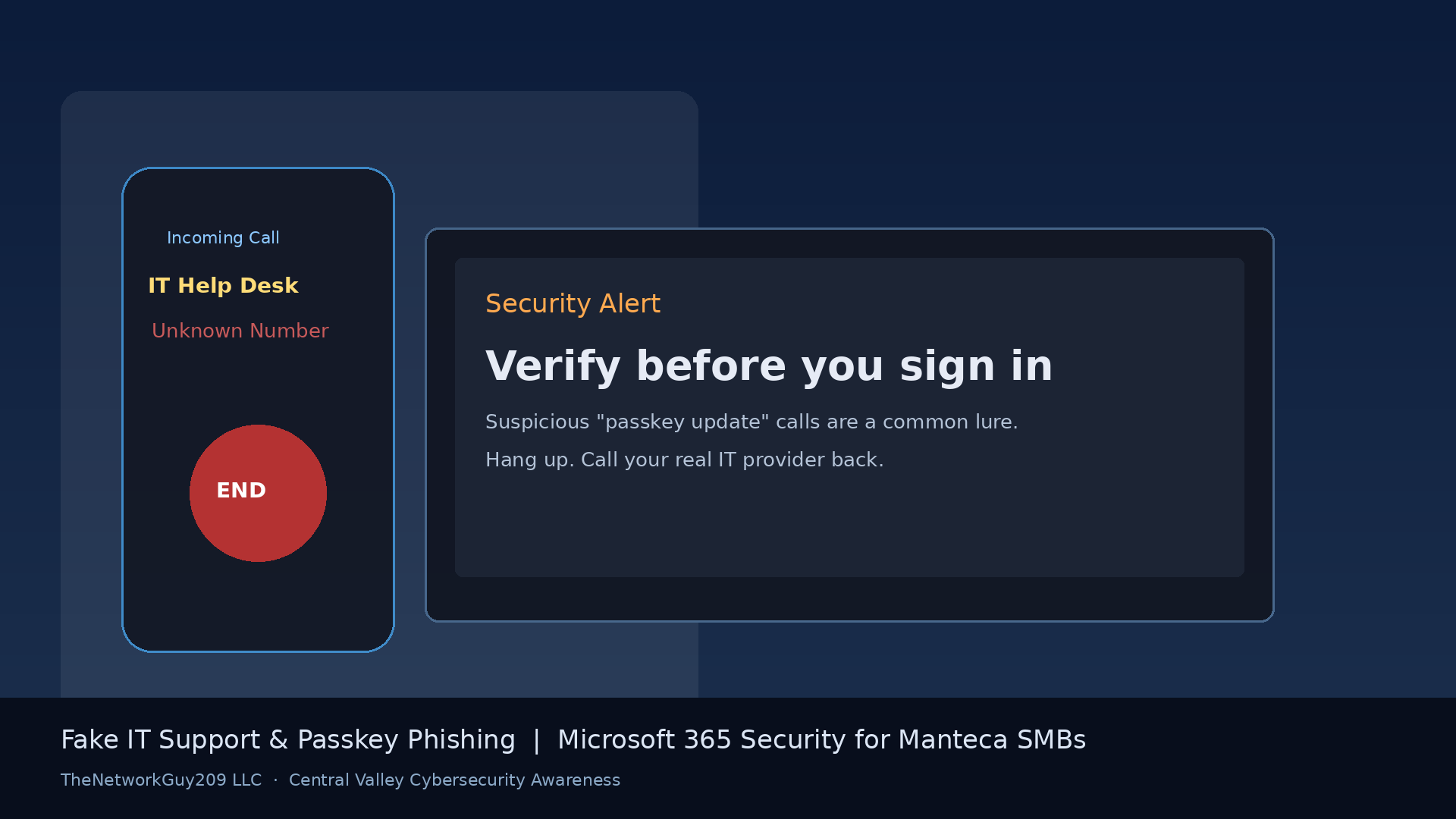
If your phone rings and the caller says they are “IT support” needing you to update a passkey right now, pause. That script is not a random oddity — it is a pattern Microsoft has documented in active cloud account compromises.
On September 9, 2026, Microsoft Security Research published findings on passkey-themed social engineering that leads to identity and Microsoft cloud compromise. The short version for owners and office managers in Manteca, Tracy, Stockton, Modesto, and nearby Central Valley towns: the “passkey” story is often a lure. Attackers want credentials, session tokens, and lasting access to your Microsoft 365 tenant — not a helpful security upgrade.
This guide explains what Microsoft observed, how the scam plays out in plain language, what to tell your staff today, and which Microsoft 365 controls reduce the damage if someone gets fooled.
What Microsoft reported (verified, September 2026)
According to Microsoft’s Security Blog post on September 9, 2026:
- Unusual sign-ins were followed by attacker-added authentication methods, heavy Microsoft Graph activity, SharePoint and OneDrive downloads, and email collection through REST APIs.
- The activity has been observed since about May 2026.
- Attacks often start with a call or message to an employee’s personal phone, with the caller impersonating the company’s IT help desk.
- Lures claim an urgent passkey, MFA, or SSO update is required to avoid disruption.
- Victims are steered to phishing sites that resemble a Microsoft sign-in page, or receive links by SMS.
- Despite the passkey theme, attackers are not primarily enrolling a real passkey. They push adversary-in-the-middle (AiTM) phishing or device-code authentication flows to steal credentials or session tokens.
- Example domain themes Microsoft listed include names like passkeyhelpdesk.com, secure-passkey.com, and patterns such as company-name.secure-passkey.com (cited as examples Microsoft observed — not an exhaustive blocklist).
- After access, actors often register a new MFA method they control, then recon the tenant and collect files and mail.
- Microsoft attributes related initial-access activity to actors including Storm-3121 and Storm-3032, tied into broader extortion ecosystems (including ShinyHunters/Falcon and Helix/BlackFile-related activity).
Geek Feed (September 14, 2026) summarized the same findings for a general audience. Prefer the Microsoft Security Blog primary post for decisions.
Why Central Valley small businesses should care
Most Manteca and San Joaquin Valley offices are not running a full-time security operations team. Typical setups use Microsoft 365 for email and files, a few privileged owner/manager accounts, staff who answer unknown calls as part of customer service, and MFA that may still rely on push approvals or SMS — useful, but not phishing-resistant.
That environment is where a confident “IT help desk” voice works. Attackers research public LinkedIn and company pages, then call with just enough detail to sound internal. They do not need to hack your firewall first. They need one hurried yes.
CISA’s cyber guidance for small businesses emphasizes identity hygiene, MFA, and verified channels for IT requests. This campaign shows why those basics matter.
How the scam usually unfolds (plain English)
1) Research, then the urgent call or text
Actors gather employee names and roles from public sources. Then they call or text, often to a personal number, claiming to be corporate IT. The urgency is intentional: “Your passkey expires today,” “SSO will lock you out,” “We need you online in five minutes.”
2) The fake “update” link
You are sent to a lookalike sign-in page or asked to complete a device-code flow. In AiTM phishing, the site sits between you and the real login so the attacker captures credentials and session tokens. In device-code phishing, you approve access on a legitimate Microsoft page — but the approved session belongs to the attacker’s client.
3) Persistence: they add their own MFA method
Once in, Microsoft observed attackers registering a new phone, authenticator app, or software OTP under the victim’s identity. That turns a one-time trick into a reusable foothold.
4) Recon and data collection
With the compromised identity, attackers use Microsoft Graph to map users, groups, apps, and files. Then they pull SharePoint/OneDrive content and mailbox data — sometimes slowly enough to look “normal,” sometimes at high volume over hours or days.
You need staff who will hang up and verify through a known channel.
Red flags your team should treat as automatic “stop”
Train people to treat these as do not proceed signals:
- Unsolicited call/text claiming to be IT about passkeys, MFA, or SSO
- Pressure to act immediately or “lose access”
- Links sent to a personal phone for a work account change
- Domains with passkey/SSO themes or your company name as a subdomain of an unfamiliar site (for example patterns like
company-name.secure-passkey.com) - Requests to enter a device code you did not initiate yourself in a known admin workflow
- Anyone asking you to approve MFA prompts you did not start
Rule of thumb: Real IT for your business will not be offended if you hang up and call back using the number on your vendor agreement, your IT support in Manteca contact card, or another pre-verified channel.
What to do if you think someone already clicked
Act quickly and calmly:
- Disconnect the user from risky sessions (sign out everywhere / revoke sessions and refresh tokens in Microsoft Entra / Microsoft 365 admin workflows).
- Reset credentials for the affected account (and related shared/admin accounts if involved).
- Review authentication methods — remove any phone, authenticator, or OTP the employee does not recognize.
- Check mailbox rules, forwarding, and recent app consents.
- Review recent SharePoint/OneDrive and mailbox activity for unusual downloads or Graph-driven access.
- Notify leadership and your IT provider so containment is coordinated — not a private “I fixed it.”
Microsoft’s remediation guidance aligns with that sequence: revoke sessions, reset credentials, remove attacker MFA methods, and require secure re-registration.
Practical Microsoft 365 hardening (SMB-friendly)
You do not need an enterprise security budget to raise the bar. Prioritize what Microsoft recommends for this pattern:
Prefer phishing-resistant MFA
Move privileged and, over time, all users toward FIDO2/passkeys or Windows Hello for Business where practical — real phishing-resistant methods, not just “any MFA.” This is the opposite of blindly clicking a stranger’s “enroll passkey” link.
Use Conditional Access thoughtfully
Where licensing allows:
- Require managed/compliant devices for Exchange, SharePoint, and sensitive apps
- Tighten security info registration (who can add MFA methods, from where, and how often)
- Apply risk-based policies for risky sign-ins
- Block device-code authentication (and authentication transfer) unless you have a clear business need
Limit consent and unmanaged access
- Restrict user consent for apps; require admin approval for high-risk permissions
- Limit unmanaged devices to web-only sessions without download/sync when possible
- Review service principals with broad Graph permissions (Mail.Read, Files.Read.All, Directory.Read.All)
Train for voice phishing, not only email phishing
Most awareness still focuses on email. This campaign is heavily voice + SMS. Add a short huddle: “If IT calls unexpectedly about MFA or passkeys, hang up and call our known number.”
For configuration help, see Microsoft 365 security, Microsoft 365 support, Microsoft 365, and our Microsoft 365 migration consultant guide when identity baselines need a clean start.
A simple staff script for Manteca offices
Post this near the front desk and in Teams:
“If someone calls or texts claiming to be IT and asks me to update a passkey, MFA, or SSO: I hang up. I do not click SMS links. I contact our real IT provider using a saved number or our internal process. I never approve MFA prompts I did not start.”
That script alone stops a large share of social engineering — because the scam depends on urgency and politeness.
How TheNetworkGuy209 helps local teams
TheNetworkGuy209 LLC is based in Manteca and supports businesses across the Central Valley and nearby markets — Tracy, Lathrop, Stockton, Modesto, Ripon, and surrounding communities.
Relevant help often includes:
- Cybersecurity services reviews focused on identity, MFA, and Conditional Access posture
- Day-to-day managed IT services so security settings do not drift
- Local support for Manteca, Stockton (including managed IT in Stockton), and Tracy
- IT consulting for policy, training, and “what should we lock down first” planning
- Practical baselines described in our Managed IT Services in Manteca guide
If you want a clear picture of Microsoft 365 identity gaps — MFA strength, device-code settings, admin accounts, and user training — start with a free IT assessment.
Soft CTA
Do not wait for a convincing “IT help desk” call to find out whether your Microsoft 365 MFA and session controls would hold.
Call TheNetworkGuy209 LLC at 209-517-6976, email info@thenetworkguy209.com, or visit thenetworkguy209.com / contact to schedule a straightforward Microsoft 365 security review. We will tell you what to tighten first for a Manteca or Central Valley small business — without fear tactics or invented stats.
Frequently Asked Questions
Are attackers really setting up passkeys on my account?
Usually no. Microsoft reports that the passkey theme is often a **pretext**. The real goal is AiTM phishing or device-code flows that steal credentials or session tokens — then persistence via attacker-controlled MFA methods.
We already have MFA. Are we safe?
MFA helps, but **not all MFA is equal**. Push/SMS MFA can still be abused in AiTM or social-engineering scenarios. Microsoft recommends moving toward **phishing-resistant** methods (such as FIDO2/passkeys or Windows Hello for Business) and locking down who can register new authentication methods.
What should an employee do during a suspicious “IT” call?
Hang up. Do not click SMS links. Contact IT or your managed provider using a **pre-saved** number or ticket process. Never approve an MFA prompt you did not initiate.
What are Storm-3121 and Storm-3032?
These are Microsoft Threat Intelligence designations for actors involved in related initial-access activity. Microsoft associates Storm-3121 with pathways into ShinyHunters/Falcon extortion activity, and Storm-3032 with actors linked to Helix/BlackFile-related extortion ecosystems. For SMB owners, the actionable takeaway is the technique (fake IT + passkey lure), not memorizing every actor name.
Should we disable device-code authentication?
Microsoft recommends blocking device-code (and authentication transfer) flows via Conditional Access **unless** you have an explicit business need. Many small offices can disable it with little impact after a quick review of legacy workflows.
Does this only affect large enterprises?
No. Extortion and cloud data-theft ecosystems target valuable email and file stores wherever they exist. Small businesses with Microsoft 365 and light security oversight are attractive because one compromised mailbox can expose invoices, customer data, and banking conversations.
Need reliable IT support for your business?
The Network Guy 209 provides Managed IT Services, Cybersecurity, Cloud Solutions, Microsoft 365, Network Installation, Server Management, Data Backup, Disaster Recovery, and Website Development for businesses throughout Manteca, Stockton, Tracy, Lathrop, Ripon, Modesto, Lodi, Sacramento, the Bay Area, and across California.
TheNetworkGuy209 LLC provides managed IT, cybersecurity, and Microsoft 365 services to businesses in Manteca and across the Central Valley and Bay Area.
Related Articles
September 2026 Windows Patch Checklist for Central Valley Small Businesses
Microsoft’s September 2026 updates include two actively exploited Windows flaws. Here is a practical patch checklist for Manteca and Central Valley small businesses.
Ransomware Protection for Small Businesses: A 2026 Playbook
A practical, non-hype guide to stopping ransomware before it encrypts your files — controls, backup strategy, and what to do in the first 60 minutes of an attack.
Phishing Attacks: 8 Signs Every Employee Should Recognize
A one-page phishing awareness guide you can share with your whole team — with real 2026 examples.
Get more IT insights like this
Monthly tips on cybersecurity, Microsoft 365, and small-business IT — written for Central Valley owners.