
September 2026 Windows Patch Checklist for Central Valley Small Businesses
Microsoft’s September 2026 updates include two actively exploited Windows flaws. Here is a practical patch checklist for Manteca and Central Valley small businesses.
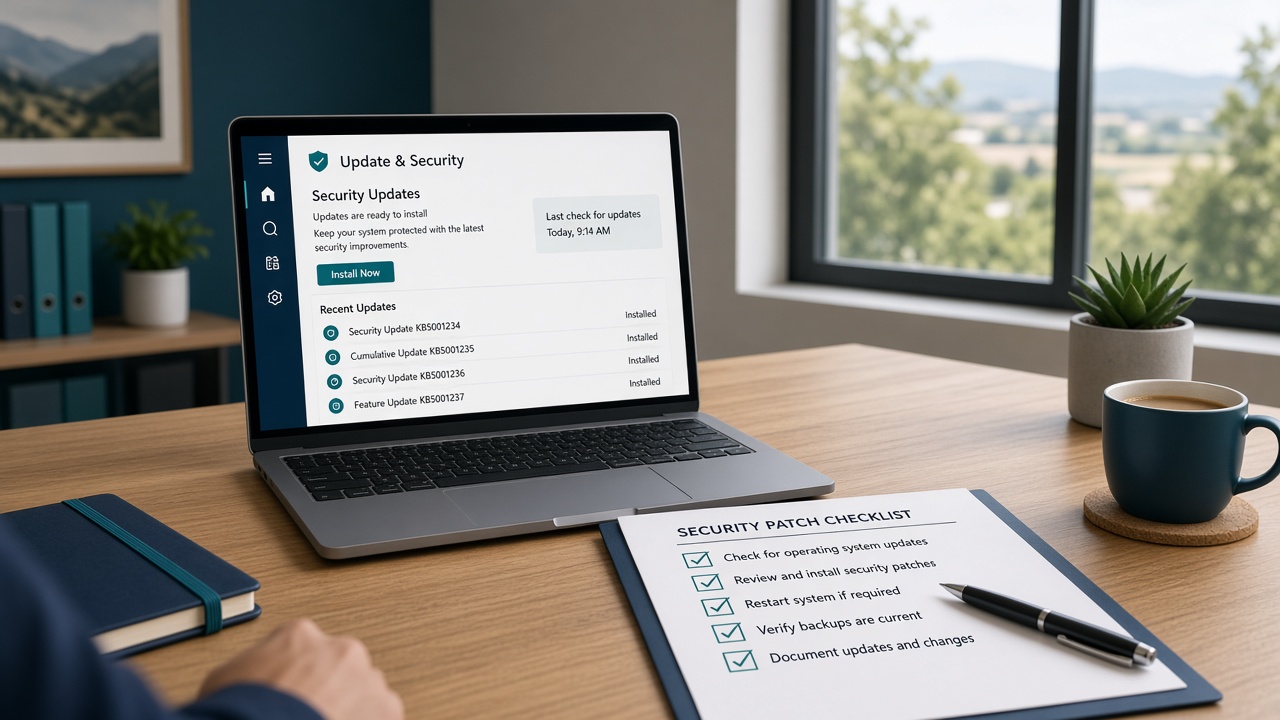
- What changed in September 2026 (verified facts)
- Why this matters for Manteca and Central Valley SMBs
- A practical patch checklist (do this in order)
- 1) Inventory what you actually have
- 2) Patch the two exploited Windows CVEs first
- 3) Prioritize internet-facing and high-value roles next
- 4) Do not skip Office and endpoint apps
- 5) Verify backups before and after major patch nights
- 6) Close the easy remote-access gaps while you are at it
- 7) Schedule a monthly rhythm (not a panic cycle)
- Signs your current process is not enough
- How TheNetworkGuy209 helps local teams stay current
- Soft CTA
If you run a business in Manteca, Tracy, Stockton, or nearby Central Valley towns, Patch Tuesday can feel like noise — until one unpatched system turns into a long weekend of downtime. Microsoft’s September 2026 security updates are a good reason to slow down and do this right.
Industry trackers put the September release near 1,000 vulnerabilities, making it one of the largest Patch Tuesday cycles in recent memory. More important than the headline number: Microsoft marked two Windows elevation-of-privilege flaws as already exploited in the wild, and CISA added both to its Known Exploited Vulnerabilities (KEV) catalog on September 8, 2026.
This post is a practical checklist for owners and office managers — not a deep dive for enterprise security teams. The goal is simple: know what to patch first, what to verify after, and when to get help.
What changed in September 2026 (verified facts)
According to Microsoft’s September 2026 security update notes and industry analyses from Cisco Talos and TechRepublic:
- Microsoft released the monthly security updates on Patch Tuesday, September 8, 2026.
- Two Windows issues were marked with exploitation detected:
- CVE-2026-81963 — Windows Update Stack elevation of privilege (link-following / access-control related).
- CVE-2026-85880 — Windows Advanced Local Procedure Call (ALPC) elevation of privilege (heap-based buffer overflow related).
- On the same day, CISA added both CVEs to the KEV catalog, alongside other non-Windows items. CISA encourages all organizations — not only federal agencies — to prioritize KEV remediations.
Elevation of privilege means an attacker who already has a limited foothold (for example, after a phishing click or malware install) may be able to gain stronger control of a Windows PC or server. That is why these two patches are not “optional housekeeping.”
Researchers also highlighted high-severity issues affecting infrastructure roles many Central Valley offices still run locally — including DNS, DHCP, Remote Desktop-related components, and on-premises Exchange in some environments. You do not need every CVE memorized. You do need a clear order of operations.
Why this matters for Manteca and Central Valley SMBs
Most small businesses here are not running a 24/7 security operations center. Typical environments look like:
- A mix of Windows 10/11 desktops and laptops (some older than you think)
- One or two servers for files, accounting, or line-of-business apps
- Microsoft 365 for email and documents
- Remote access for owners or bookkeepers
- Occasional “we’ll update later” habits when the office is busy
That mix works — until patching falls behind. Attackers do not need a custom exploit against your brand. They reuse known flaws after public disclosure, especially once KEV listings confirm real-world abuse.
If your team has been postponing Windows updates because “nothing looks broken,” September 2026 is a reminder that quiet systems can still be vulnerable.
A practical patch checklist (do this in order)
1) Inventory what you actually have
Write down (or export) a simple asset list:
- Desktops and laptops (who owns them, Windows version)
- Servers (file, domain, accounting, SQL if any)
- Network gear that gets firmware updates (firewall, VPN appliance, switches, access points)
- Cloud apps that still need admin attention (Microsoft 365 admin center settings are not “patched” the same way, but security baselines still matter)
You cannot prioritize what you cannot see. Shadow laptops and forgotten spare PCs are common gaps.
2) Patch the two exploited Windows CVEs first
Prioritize deploying the September 2026 cumulative updates that address CVE-2026-81963 and CVE-2026-85880.
Practical tips:
- Start with a pilot group (IT owner laptop + one trusted workstation) if you have more than a handful of machines.
- Then roll out to the rest of the office, followed by servers during a planned maintenance window.
- Confirm devices actually rebooted and report the expected build/update — “Update downloaded” is not the same as “update installed.”
- Document completion date and who verified it.
If a machine cannot update (stuck Update Stack, low disk space, ancient unsupported OS), treat that as a separate remediation ticket — not something to ignore.
3) Prioritize internet-facing and high-value roles next
After the actively exploited Windows issues, focus on systems that raise blast radius:
- Any Windows host used as a DNS or DHCP server
- Devices with Remote Desktop exposed or loosely controlled
- On-premises Exchange or other mail servers still in production
- Domain controllers / identity-related servers
- VPN gateways and firewalls (firmware and management software)
If you are unsure what is internet-facing, assume you need a quick external check and a firewall review. Guessing is how open RDP becomes a permanent problem.
4) Do not skip Office and endpoint apps
September’s release also covered Office and other Microsoft products. For many SMBs, phishing still starts in email and documents. Keep:
- Microsoft 365 Apps / Office current
- Browsers on auto-update
- PDF readers and other common utilities from a managed update path when possible
Endpoint security software (EDR/antivirus) should be healthy and reporting — a patched OS with a dead agent is only half done.
5) Verify backups before and after major patch nights
Patching rarely “breaks everything,” but reboots and server updates are exactly when you want confidence in restore points.
Check:
- Last successful backup time for file shares and critical servers
- That backups are reachable offline or immutable enough to survive ransomware-style deletion
- A recent restore test for at least one important folder or VM (even a small sample)
If you have never tested a restore, schedule that before the next big maintenance window.
6) Close the easy remote-access gaps while you are at it
Patching reduces vulnerability. Configuration reduces opportunity.
While systems are already in maintenance mode:
- Turn on MFA for Microsoft 365 and VPN admin access if it is not already required
- Disable unused remote access paths
- Separate guest Wi-Fi from the business LAN
- Review local admin rights (least privilege beats “everyone is admin”)
CISA’s small-business guidance continues to emphasize modern, maintainable setups — including moving aging on-prem mail/file services toward well-managed cloud alternatives when the in-house burden is too high. That is a planning conversation, not an overnight flip.
7) Schedule a monthly rhythm (not a panic cycle)
A durable patch program for a small office usually looks like:
- Monthly: Windows and Microsoft updates in a known window
- As needed (days, not months): Anything on the CISA KEV list that affects software you run
- Quarterly: Firmware reviews for firewalls, APs, and switches
- Ongoing: Auto-updates for browsers where business apps allow it
If nobody owns that calendar, updates will always lose to invoices and customer calls.
Signs your current process is not enough
You may need stronger managed IT services or a focused cybersecurity services review if any of these sound familiar:
- Updates are applied only when someone complains about a prompt
- Servers reboot “whenever someone remembers”
- You cannot say which PCs are still on unsupported Windows builds
- Remote Desktop is reachable from the open internet
- Backups exist, but nobody has restored from them in the last year
- Microsoft 365 security defaults, MFA, or conditional access were never finished
Those are operational issues — fixable — but they are not solved by one Patch Tuesday alone.
How TheNetworkGuy209 helps local teams stay current
TheNetworkGuy209 LLC is based in Manteca and supports businesses across the Central Valley and nearby Bay Area markets, including Tracy, Lathrop, Stockton, Modesto, Ripon, Livermore, Pleasanton, Dublin, Brentwood, and Antioch.
For September-style update cycles, useful engagements often include:
- Patch status review across workstations and servers (server support)
- Hardening and monitoring aligned with practical cybersecurity services
- Microsoft 365 configuration and Microsoft 365 security baselines, plus day-to-day Microsoft 365 support
- Local help for IT support in Manteca, Stockton, and Tracy
If you want a clear picture of gaps — patching, backups, firewalls, and Microsoft 365 — start with a free IT assessment.
Soft CTA
Do not wait for a scare to find out which machines missed September’s updates.
Call TheNetworkGuy209 LLC at 209-517-6976, email info@thenetworkguy209.com, or visit thenetworkguy209.com / contact to schedule a straightforward review. We will tell you what is urgent, what can wait, and what a sane monthly patch plan looks like for your office size.
Frequently Asked Questions
Do I need to panic if we have not installed September updates yet?
Panic is not useful. Priority is. Confirm whether the September 2026 cumulative updates are installed on every Windows PC and server, especially regarding the two exploited CVEs (CVE-2026-81963 and CVE-2026-85880). If you cannot verify that quickly, treat it as this week’s job — not next quarter’s.
Are elevation-of-privilege bugs only a problem for large companies?
No. Privilege escalation helps attackers after they get an initial foothold. Small offices that reuse passwords, delay updates, or leave Remote Desktop exposed are common targets precisely because they are easier to operate against at scale.
Should we enable automatic Windows updates for every computer?
For many workstations, yes — with a maintenance window and monitoring so failed updates get fixed. For servers and specialized line-of-business systems, use staged rollouts and a rollback plan. Automatic does not mean unattended forever.
Does patching replace antivirus or Microsoft 365 security?
No. Patching closes known holes. You still need strong identity controls (MFA), email security habits, endpoint protection, and tested backups. Those layers work together.
What if some PCs cannot install the update?
Investigate disk space, corrupted update components, missing prerequisites, or end-of-support operating systems. Unsupported Windows versions may need replacement rather than endless workarounds. Isolate high-risk devices until they are fixed.
How often should a Central Valley small business review patch status?
Monthly for routine Microsoft updates, faster for KEV/actively exploited issues, and quarterly for network firmware. If you lack internal bandwidth, outsource monitoring so the calendar does not depend on memory alone.
Need reliable IT support for your business?
The Network Guy 209 provides Managed IT Services, Cybersecurity, Cloud Solutions, Microsoft 365, Network Installation, Server Management, Data Backup, Disaster Recovery, and Website Development for businesses throughout Manteca, Stockton, Tracy, Lathrop, Ripon, Modesto, Lodi, Sacramento, the Bay Area, and across California.
TheNetworkGuy209 LLC provides managed IT, cybersecurity, and Microsoft 365 services to businesses in Manteca and across the Central Valley and Bay Area.
Related Articles
Fake IT Support Calls and Passkey Phishing: What Manteca Businesses Should Know About Microsoft 365 Scams
Fake IT help-desk calls and passkey phishing are targeting Microsoft 365. Practical tips for Manteca and Central Valley small businesses to stay safe.
Ransomware Protection for Small Businesses: A 2026 Playbook
A practical, non-hype guide to stopping ransomware before it encrypts your files — controls, backup strategy, and what to do in the first 60 minutes of an attack.
Phishing Attacks: 8 Signs Every Employee Should Recognize
A one-page phishing awareness guide you can share with your whole team — with real 2026 examples.
Get more IT insights like this
Monthly tips on cybersecurity, Microsoft 365, and small-business IT — written for Central Valley owners.